The Gaiatop USB Desk Fan review is most relevant to shoppers who want a small fan for personal airflow at a desk, bedside table, or travel setup.
Its appeal is straightforward: three button-controlled speeds, a vertically adjustable head, and USB power that can work with several compatible sources.
Gaiatop Desk Fan Review Summary
The quick verdict
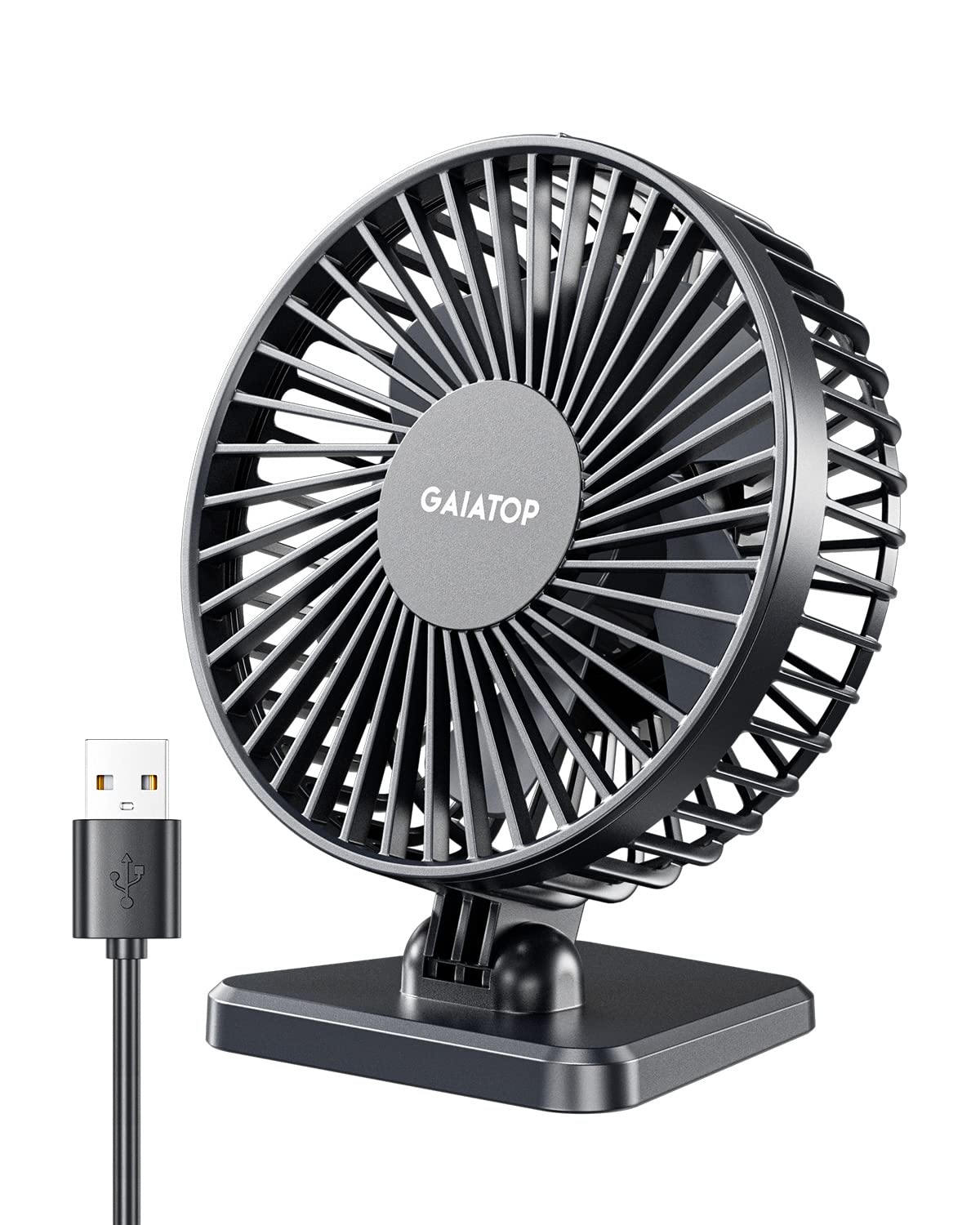
28,000+ ratings
Read Amazon ReviewsGaiatop USB Desk Fan
A lightweight tabletop fan for people who want simple, adjustable airflow near a desk, bedside table, or USB-compatible power source.
- Compact and lightweight: weighs less than eight ounces and is intended for use on a tabletop.
- Three speeds: choose low, medium, or high by pressing the power button repeatedly.
- Adjustable head: tilts vertically through 30 degrees to direct airflow.
- USB-powered: works with compatible PC or laptop ports, power banks, AC adapters, and car chargers.

Pros
- Lightweight, compact design is convenient to move between a desk and other nearby spaces.
- Three selectable speeds make it easier to adapt airflow to the moment.
Consider before buying
- It requires a USB power connection, so it cannot operate as a cordless fan.
- Its small tabletop format is intended for personal airflow rather than cooling a whole room.
Read the full review summary
This fan is designed for close-range cooling where a full-size room fan would take up too much space.
It weighs less than eight ounces, uses a five-blade design, and offers low, medium, and high settings through a push button.
Its head tilts vertically through 30 degrees, making it easier to aim the airflow toward a seated or resting position.
The USB connection gives it flexibility around a home office, car, or travel bag, provided a suitable USB power source is available.
The design is best understood as a personal fan for a nearby user: it is not cordless, and its compact tabletop format is better suited to directing air at one spot than to cooling a whole room.
The buying factors
Gaiatop Desk Fan Scorecard
Editorial scores reflect listed features and buyer fit; they are not laboratory measurements or customer ratings.
Desk and travel portability
At less than eight ounces with a compact tabletop design, it is easy to move between nearby work and rest spaces.
Speed control
Three settings provide a useful choice of airflow intensity through a simple push button.
Airflow positioning
The head tilts vertically through 30 degrees, though the described adjustment is limited to that axis.
Power-source flexibility
USB power is compatible with several types of USB supplies, but the fan itself is not cordless.
Quiet-use potential
A listed noise level of 50 decibels suggests quietness is part of the design, though perceived noise depends on setting and surroundings.
Room-cooling suitability
Its compact personal-fan format is more appropriate for nearby airflow than for broad room coverage.
Key Features and Specifications of Gaiatop Desk Fan
- Compact and lightweight: weighs less than eight ounces and is intended for use on a tabletop.
- Three speeds: choose low, medium, or high by pressing the power button repeatedly.
- Adjustable head: tilts vertically through 30 degrees to direct airflow.
- USB-powered: works with compatible PC or laptop ports, power banks, AC adapters, and car chargers.
- Five-blade design with a 5-watt rating and 5-volt power specification.
- Designed for personal cooling in settings including the bedroom, living room, dining room, office, car, or travel.
Pros and Cons of Gaiatop Desk Fan
Pros
- Lightweight, compact design is convenient to move between a desk and other nearby spaces.
- Three selectable speeds make it easier to adapt airflow to the moment.
- The tilting head helps aim the breeze without repositioning the entire fan.
- USB compatibility offers more power-source options than a fan tied to one specific adapter.
Consider before buying
- It requires a USB power connection, so it cannot operate as a cordless fan.
- Its small tabletop format is intended for personal airflow rather than cooling a whole room.
- The described vertical tilt range is 30 degrees; buyers who need broader directional adjustment should check whether that range suits their setup.
Who Should Buy Gaiatop Desk Fan?
Good fit
Consider the Gaiatop if you want a light personal fan that can sit close to your workspace or bed and be moved as needed.
The three speeds and tilting head give you practical control over where the airflow goes and how strong it feels.
It can also suit travel or car use when you already have a compatible USB power source.
Before choosing it for a particular spot, check that the fan can sit securely on the available surface and that the USB supply will reach without stretching the cable.
Who should skip it
Look elsewhere if you need cordless operation, wide-area circulation, or a fan intended to cool an entire room. This model’s described design centers on compact, nearby airflow and USB power.
How the Gaiatop Desk Fan Fits Everyday Use
A personal cooling footprint
A fan weighing less than eight ounces is easy to reposition, which is useful when the desired airflow changes from a desk to a bedside table.
The compact format also means buyers should think about distance: personal fans work best when placed near the person who wants the breeze, rather than expected to shift the temperature across a large room.
Three speeds for simple adjustment
Low, medium, and high give the fan a basic range of settings without a complicated control scheme.
Repeated presses of the button change the speed, so it is worth considering whether a single-button interface fits the way you plan to use it, especially if the fan will sit somewhere that is not immediately within reach.
A tilt range that helps with placement
Vertical adjustment through 30 degrees can help align airflow with a seated or reclining position.
Placement still matters: set the fan at a height and distance where its available tilt can point toward you, since the described adjustment does not establish a wider range of movement.
USB power and setup planning
Compatibility with common USB sources can make the fan convenient in different settings, including a laptop workspace or car.
Because it is not cordless, the power supply and cable path are part of the setup; choose a location where the cable can connect comfortably and where the fan can remain stable.
Alternatives to Gaiatop Desk Fan
No alternative model is recommended here. Compare the design and features that matter to your routine before choosing another option.
Is Gaiatop Desk Fan Worth It?
The Gaiatop USB Desk Fan is worth considering if you want lightweight, adjustable airflow close to where you sit or rest and already have a compatible USB power source.
Its three speeds, compact size, and tilting head cover the essentials for a straightforward personal fan.
Choose it with realistic expectations: it needs a USB connection and is built for nearby cooling rather than whole-room circulation.
If that matches your routine and the 30-degree vertical tilt suits your placement, it is a practical option to consider.
Your review at a glance
28,000+ ratings
Read Amazon ReviewsGaiatop USB Desk Fan
A lightweight tabletop fan for people who want simple, adjustable airflow near a desk, bedside table, or USB-compatible power source.
- Compact and lightweight: weighs less than eight ounces and is intended for use on a tabletop.
- Three speeds: choose low, medium, or high by pressing the power button repeatedly.
- Adjustable head: tilts vertically through 30 degrees to direct airflow.
- USB-powered: works with compatible PC or laptop ports, power banks, AC adapters, and car chargers.