This nulea m504 review looks at a wired vertical mouse built around a 57-degree grip, four selectable DPI levels, and straightforward USB setup.
It may suit right-handed desk users seeking a different hand position, provided they are comfortable spending time adapting to the shape.
Nulea M504 Review Summary
The quick verdict
1,000+ ratings
Read Amazon ReviewsNulea M504
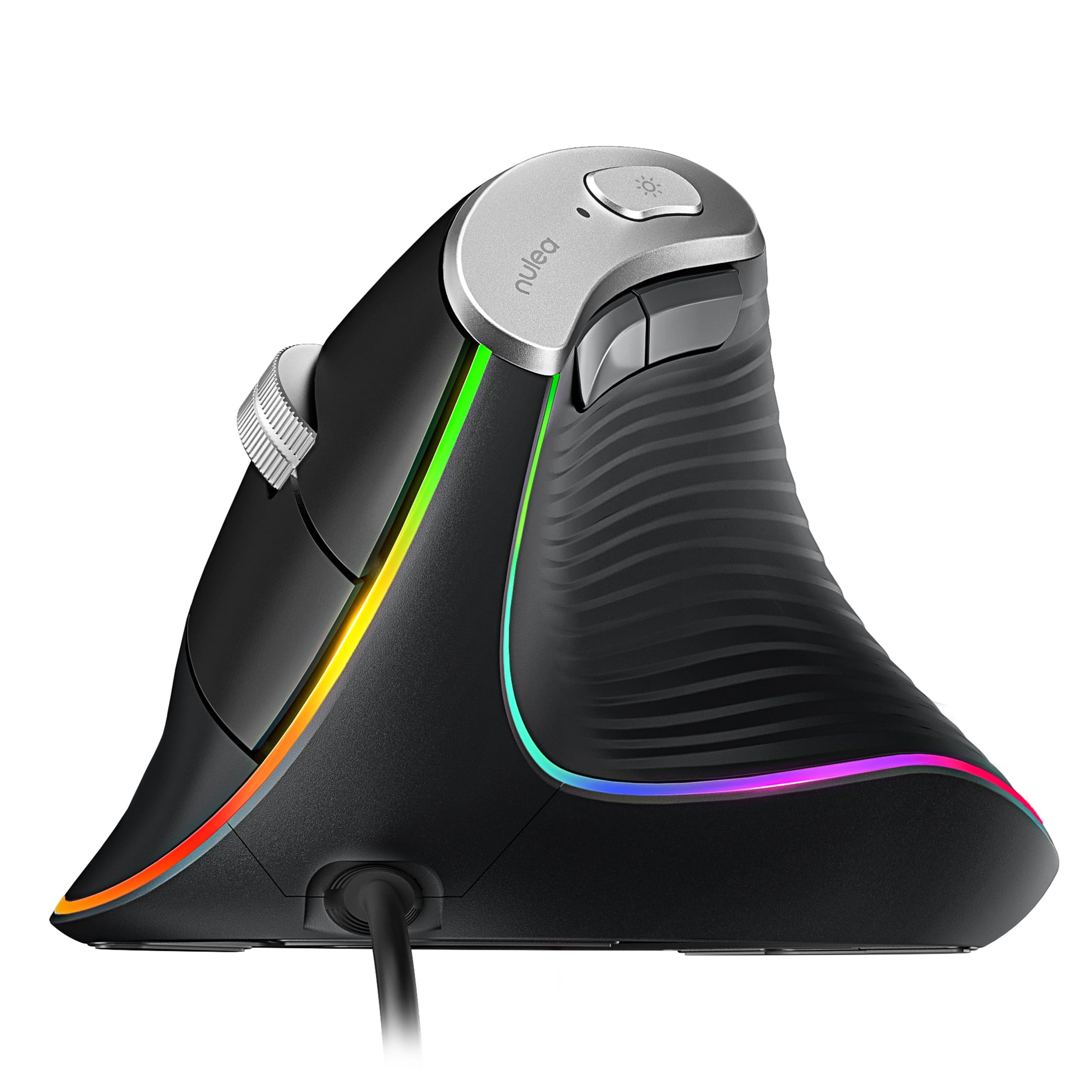
A right-handed wired vertical mouse for shoppers who want adjustable cursor speed, simple setup, and a different grip for desk work.
- Right-handed vertical shape set at a 57-degree angle, intended to support a more natural-feeling grip.
- Optical tracking with four selectable sensitivity levels: 800, 1200, 2400, and 3200 DPI.
- Wired USB 2.0 connection with a 1.8-meter cable and plug-and-play setup.
- Six buttons, including forward and backward controls; the buttons are not programmable.

Pros
- Distinct vertical shape for users who want to explore a different way of holding a mouse.
- Four DPI settings make it easy to choose between slower and faster cursor movement.
Consider before buying
- The vertical grip may take a few days to get used to, so it may not feel natural immediately.
- The 1.8-meter wired connection can constrain placement and movement compared with a wireless mouse.
Read the full review summary
The M504 combines a right-handed vertical form with a wired USB connection and optical tracking.
Its four DPI options range from 800 to 3200, giving users several cursor-speed choices for general navigation, document work, or more deliberate pointer movements.
The 1.8-meter cable keeps setup simple, though it does mean the mouse remains physically connected to the computer.
Its design is aimed at people curious about a more upright grip, with RGB lighting and forward/back buttons adding convenience and personalization.
The main adjustment is ergonomic: the shape differs from a conventional mouse and may take a few days to feel familiar.
Consider it for a fixed desk setup and right-handed use; check the operating-system caveat if you rely on the side buttons with a Mac.
The buying factors
Nulea M504 Scorecard
Editorial scores reflect listed features and buyer fit; they are not laboratory measurements or customer ratings.
Grip design
The 57-degree vertical form is a clear alternative to a conventional mouse grip, though comfort depends on individual fit and adaptation.
Cursor adjustment
Four selectable settings from 800 to 3200 DPI offer useful range for different pointer-speed preferences.
Setup simplicity
USB 2.0 wired plug-and-play operation requires no driver installation, according to the product details.
Desk flexibility
The 1.8-meter cable is practical for many desk layouts, but it limits the freedom of a wireless design.
Button utility
Six buttons include forward and backward controls; those side buttons are not compatible with Mac OS, and the buttons are not programmable.
Personalization
Eleven RGB lighting modes let users change the mouse's illuminated outline, while the controls remain non-programmable.
Key Features and Specifications of Nulea M504
- Right-handed vertical shape set at a 57-degree angle, intended to support a more natural-feeling grip.
- Optical tracking with four selectable sensitivity levels: 800, 1200, 2400, and 3200 DPI.
- Wired USB 2.0 connection with a 1.8-meter cable and plug-and-play setup.
- Six buttons, including forward and backward controls; the buttons are not programmable.
- Eleven RGB backlight modes illuminate the mouse outline.
- Matte plastic enclosure and a metal non-slip scroll wheel.
Pros and Cons of Nulea M504
Pros
- Distinct vertical shape for users who want to explore a different way of holding a mouse.
- Four DPI settings make it easy to choose between slower and faster cursor movement.
- Wired USB setup avoids pairing steps and driver installation.
- Forward and backward buttons can make supported browsing tasks more convenient.
- RGB modes offer a simple way to personalize the desk setup.
Consider before buying
- The vertical grip may take a few days to get used to, so it may not feel natural immediately.
- The 1.8-meter wired connection can constrain placement and movement compared with a wireless mouse.
- Forward and backward buttons are not compatible with Mac OS.
- Buttons are non-programmable, limiting customization for users who want custom shortcuts.
Who Should Buy Nulea M504?
Good fit
Consider the M504 if you are right-handed, work at a regular desk, and want to try a vertical mouse without dealing with wireless pairing or charging.
Its plug-and-play USB connection and four DPI settings make it a fairly direct option for everyday computer tasks, while the forward and backward buttons may help with supported browsing.
It is also a reasonable fit if lighting customization matters and you prefer choosing from built-in modes rather than configuring button actions.
Give the grip some adjustment time, and check that the cable can reach comfortably from your computer to your usual mouse position.
Who should skip it
Skip it if you need a left-handed mouse, a wireless setup, or programmable buttons. Mac users who depend on forward and backward controls should also account for the stated incompatibility before choosing it.
Nulea M504 Review: How Its Vertical Design Fits a Desk
A different grip with an adjustment period
The 57-degree angle is the defining choice here. It gives the hand a more upright position than a conventional mouse, which may appeal to someone seeking a change in grip.
The shape is not an automatic comfort guarantee: the product details allow for a few days of adjustment, so buyers should expect a learning period rather than an instant fit.
Four settings for pointer speed
The selectable 800, 1200, 2400, and 3200 DPI levels provide a straightforward way to alter cursor responsiveness.
Lower settings can be a useful starting point for controlled movements, while higher settings may suit users who prefer more cursor travel from smaller hand movements. The best choice depends on screen size, task, and personal preference.
Wired convenience and its limits
USB 2.0 plug-and-play operation keeps installation uncomplicated, and the 1.8-meter cable offers reach for a typical desk arrangement.
A fixed connection also means the mouse cannot be repositioned independently of the cable, so measure the route from the computer to your preferred hand position if your setup is unusually wide or crowded.
Buttons, lighting, and compatibility
The six-button layout includes forward and backward controls, plus eleven RGB modes around the outline. These are useful everyday extras, but the buttons cannot be programmed, and the forward/back controls do not work with Mac OS.
Buyers who use another operating system or rely on those controls should confirm their needs before purchase.
Alternatives to Nulea M504
Computer Mice alternative
1,000+ ratings
Read Amazon ReviewsJLab GO Charge Wireless Mouse
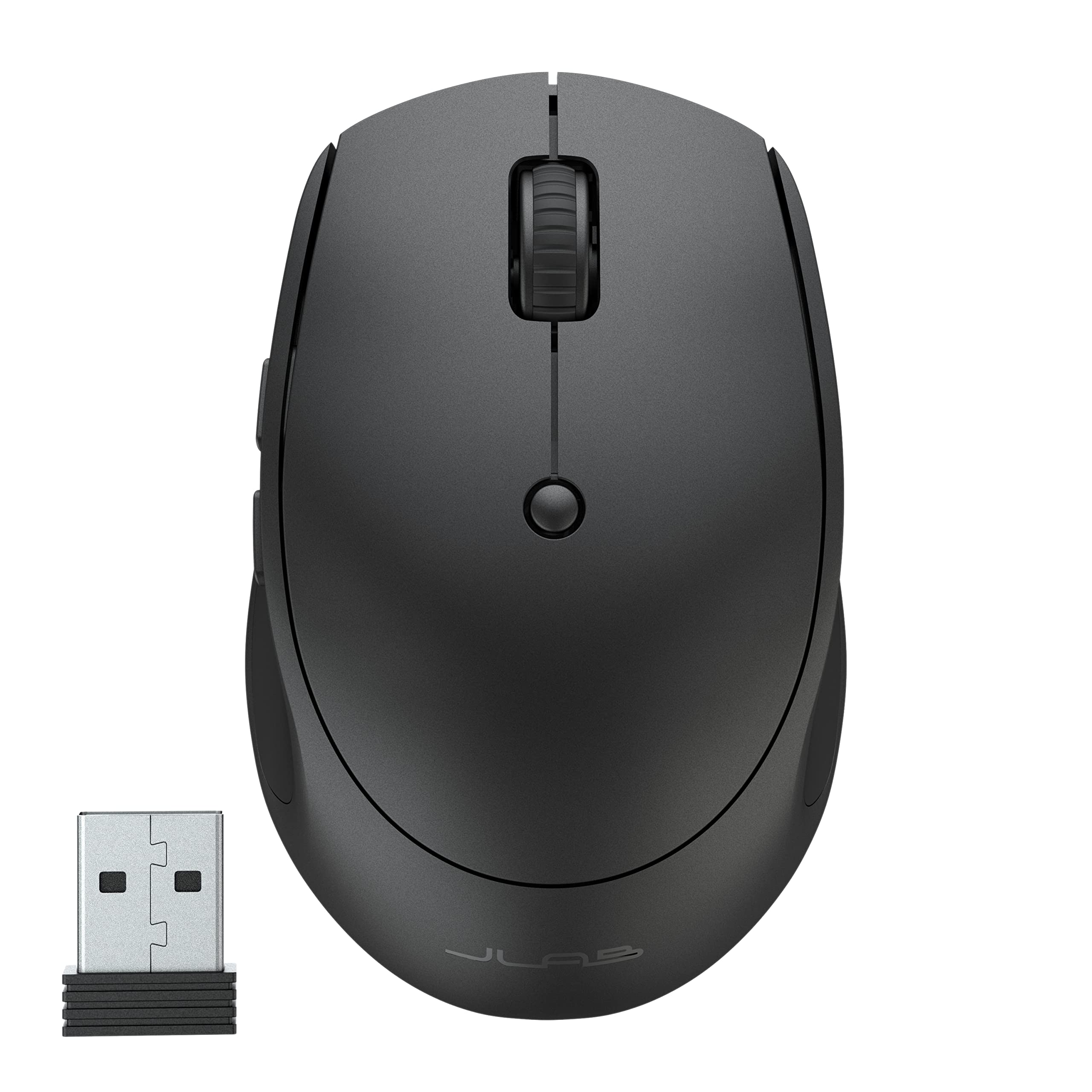
Choose the Nulea if you specifically want a vertical grip and prefer a wired setup. The JLab is a better fit if wireless use, switching among multiple devices, and portability matter more than the M504's vertical design.
- The JLab GO Charge offers Bluetooth 5 or a USB wireless dongle, can pair with up to three devices, and has adjustable DPI tracking.
- It is rechargeable and designed to be compact and lightweight.
- The Nulea M504 uses a wired USB connection and a right-handed vertical shape, with four DPI settings and six non-programmable buttons.
Computer Mice alternative
2,000+ ratings
Read Amazon ReviewsSABRENT Mini Travel Wireless Mouse
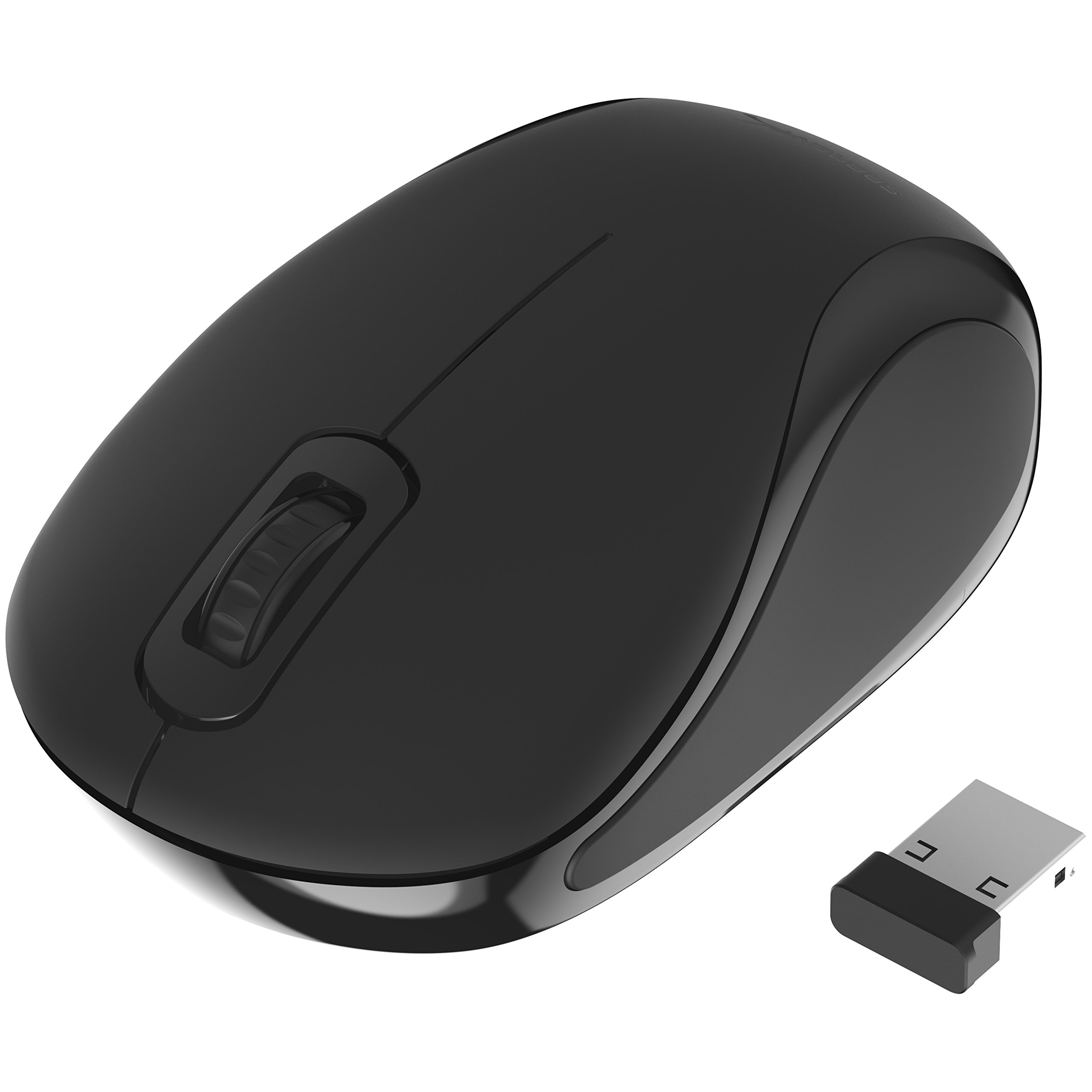
The SABRENT suits buyers who prioritize a small, ambidextrous travel mouse and a wireless connection. The Nulea better matches right-handed users seeking a vertical shape, more DPI choices, and built-in lighting.
- The SABRENT is a compact ambidextrous wireless mouse with a 1200 DPI optical sensor, three buttons, and a 2.4 GHz connection using a nano receiver.
- The M504 is a full-featured vertical wired option with four DPI levels, RGB modes, and forward/back buttons, though those side buttons are not compatible with Mac OS.
Is Nulea M504 Worth It?
The Nulea M504 is worth considering if you want to try a right-handed vertical mouse with simple wired USB setup, adjustable cursor speed, and built-in lighting.
Its most meaningful tradeoff is the grip adjustment period, followed by the cable and the Mac limitation on the forward and backward buttons.
Before buying, make sure the 1.8-meter cable suits your desk and that the fixed, non-programmable controls fit your routine. If those conditions work for you, the M504 offers a focused set of practical features for everyday use.
Your review at a glance
1,000+ ratings
Read Amazon ReviewsNulea M504
A right-handed wired vertical mouse for shoppers who want adjustable cursor speed, simple setup, and a different grip for desk work.
- Right-handed vertical shape set at a 57-degree angle, intended to support a more natural-feeling grip.
- Optical tracking with four selectable sensitivity levels: 800, 1200, 2400, and 3200 DPI.
- Wired USB 2.0 connection with a 1.8-meter cable and plug-and-play setup.
- Six buttons, including forward and backward controls; the buttons are not programmable.