The Silkland 54Gbps 16K DisplayPort Cable 2.1 review centers on a 10-foot cable designed for high-resolution and high-refresh-rate PC displays.
Its bandwidth, backward compatibility, and braided construction make it a flexible option, provided your graphics card and monitor support the modes you want.
Silkland S1303 Cable Review Summary
The quick verdict
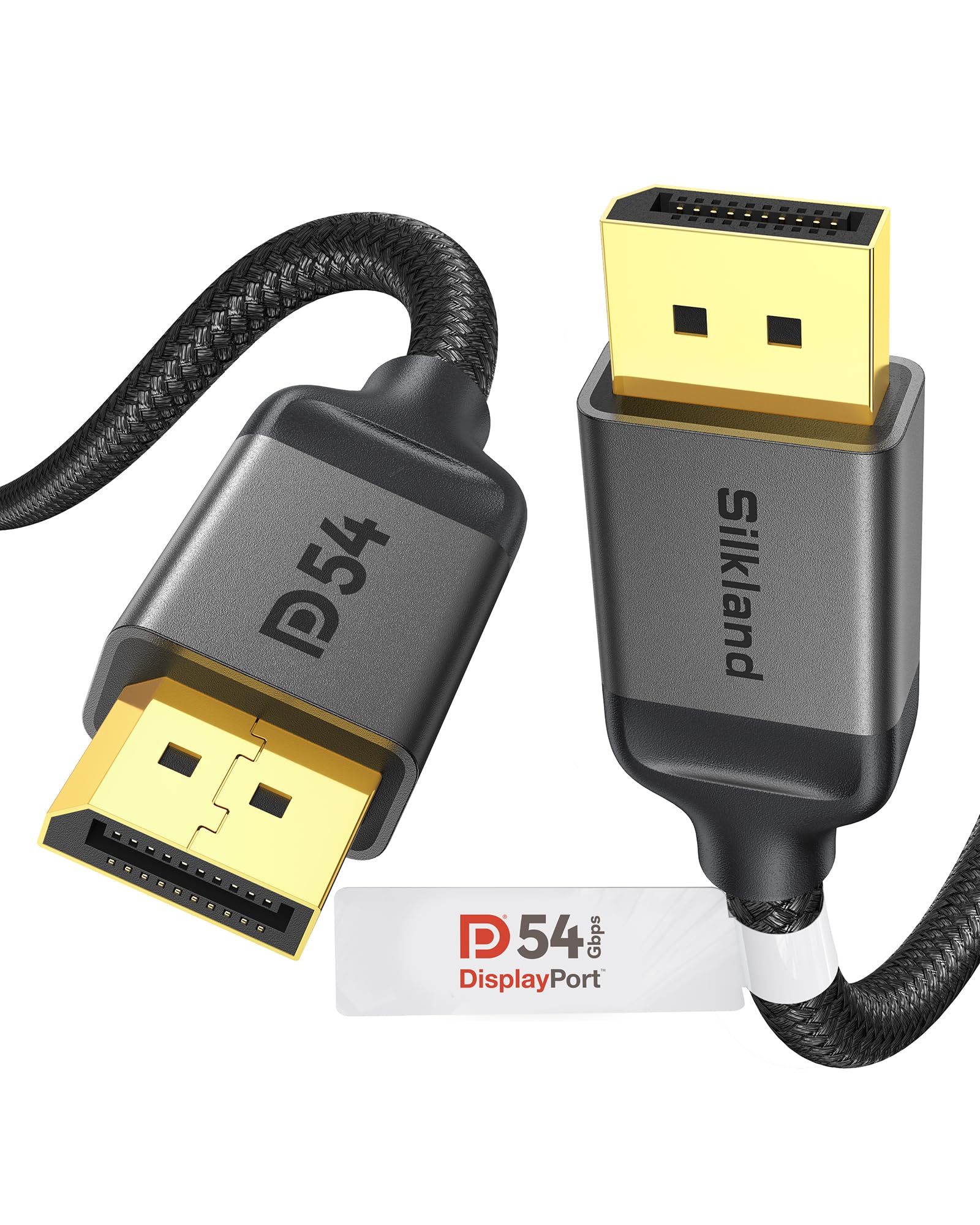
7,000+ ratings
Read Amazon ReviewsSilkland S1303 DisplayPort Cable
A 10-foot DisplayPort cable for PC owners connecting compatible high-resolution monitors, gaming displays, or multi-screen setups.
- DisplayPort 2.1 cable, model S1303, with male-to-male connectors and 10-foot length.
- Listed bandwidth of 54Gbps and support up to 16K (15360 × 8640) at 60Hz with DSC.
- Other listed modes include 8K at 120Hz, 4K at up to 240Hz, and 2K at 360Hz.
- Supports Dynamic HDR, HDCP 2.2, DSC 1.2a, 3D stereo imaging, and multi-stream transmission.

Pros
- Broad range of listed resolution and refresh-rate combinations, including high-refresh 4K and 8K modes.
- Ten-foot length offers room to route between a PC and monitor when they are not positioned close together.
Consider before buying
- The highest listed modes depend on the graphics card, monitor, DSC support, and other settings; the cable cannot guarantee them by itself.
- A 10-foot cable may leave extra length to manage in a compact desk setup.
Read the full review summary
The Silkland S1303 is a male-to-male DisplayPort cable with a stated 54Gbps bandwidth and support for resolutions up to 16K at 60Hz with DSC.
It also lists high-refresh modes such as 8K at 120Hz, 4K at up to 240Hz, and 2K at 360Hz.
Those are ceiling figures for compatible equipment and settings; the cable alone cannot provide a display mode that the source and monitor do not support.
Its 10-foot length gives desktop users more routing flexibility than a short lead, while triple shielding, tinned copper conductors, and a double-braided exterior address durability and interference considerations in the cable’s design.
It suits people with DisplayPort-equipped PCs and monitors who want one cable for gaming or high-resolution work. Before buying, match the cable’s supported modes to both devices and consider whether a 10-foot run fits your setup.
The buying factors
Silkland S1303 Cable Scorecard
Editorial scores reflect listed features and buyer fit; they are not laboratory measurements or customer ratings.
Display-mode range
The listed resolution and refresh-rate combinations cover demanding displays, including 16K at 60Hz with DSC.
Bandwidth headroom
54Gbps is a substantial stated bandwidth, though the achieved mode depends on compatible source and display hardware.
Connection flexibility
The 10-foot length and backward compatibility with earlier DisplayPort versions can accommodate varied PC setups.
Gaming features
The description lists support for G-Sync, FreeSync, Adaptive-Sync, HDR, and multi-stream transmission.
Cable construction
Triple shielding, tinned copper conductors, gold-plated connectors, and a double-braided exterior are useful design features.
Setup convenience
The connector’s groove is intended to make removal easier in tight spaces, while its 10-foot length may require careful routing.
Key Features and Specifications of Silkland S1303 Cable
- DisplayPort 2.1 cable, model S1303, with male-to-male connectors and 10-foot length.
- Listed bandwidth of 54Gbps and support up to 16K (15360 × 8640) at 60Hz with DSC.
- Other listed modes include 8K at 120Hz, 4K at up to 240Hz, and 2K at 360Hz.
- Supports Dynamic HDR, HDCP 2.2, DSC 1.2a, 3D stereo imaging, and multi-stream transmission.
- Backward compatibility with DisplayPort versions 2.0, 1.4, 1.3, 1.2, 1.2a, 1.1, and 1.0.
- Triple shielding, 28AWG tinned copper conductors, a double nylon-braided exterior, and 24K gold-plated connectors.
- Designed for DisplayPort-equipped desktops or laptops and monitors; listed support includes G-Sync, FreeSync, and Adaptive-Sync.
Pros and Cons of Silkland S1303 Cable
Pros
- Broad range of listed resolution and refresh-rate combinations, including high-refresh 4K and 8K modes.
- Ten-foot length offers room to route between a PC and monitor when they are not positioned close together.
- Backward compatibility can help connect newer and older DisplayPort equipment.
- Shielding and braided construction are useful considerations for a cable that may be handled or routed around a desk.
Consider before buying
- The highest listed modes depend on the graphics card, monitor, DSC support, and other settings; the cable cannot guarantee them by itself.
- A 10-foot cable may leave extra length to manage in a compact desk setup.
- It uses DisplayPort-to-DisplayPort connectors, so check that both the source and display have the required port.
Who Should Buy Silkland S1303 Cable?
Good fit
Consider the Silkland S1303 if your desktop or laptop and monitor both use DisplayPort and you want a 10-foot connection with substantial bandwidth headroom.
Its listed high-refresh modes make it relevant for gaming displays as well as high-resolution monitors, while backward compatibility broadens the range of equipment it can connect to.
Before ordering, check the exact resolution and refresh rate supported by both devices, including whether the target mode requires DSC.
Also measure the cable path: ten feet can be helpful for flexible placement, but a shorter run may be neater when the computer sits beside the display.
Who should skip it
Skip this cable if either end of your setup requires HDMI, USB-C, or another connector instead of DisplayPort. Confirm the port type on both devices before choosing a cable.
If you need the specific 16K, 8K, or high-refresh combinations listed here, first verify that your graphics hardware and monitor support the same mode and relevant features.
Otherwise, a cable rated for these capabilities may not change the display modes available in your setup.
What the Silkland S1303 Cable Means for Your Setup
High refresh rates depend on the whole display chain
The S1303’s mode list is most useful as a compatibility reference: it includes 4K at up to 240Hz, 8K at 120Hz, and 2K at 360Hz, with 16K at 60Hz when DSC is used.
The monitor, graphics hardware, connection settings, and any compression requirement all need to align. Check the exact mode for your own devices before treating a maximum as a likely operating setting.
Ten feet gives routing room, with some cable to manage
At 10 feet, this cable can bridge a PC and monitor with more separation or follow a less direct path around a desk.
That extra reach is useful when ports are awkwardly placed, though it can leave surplus cable in a compact workspace. Measuring the route before buying helps determine whether the length suits your arrangement.
Construction details matter during everyday handling
The product combines 28AWG tinned copper conductors with triple shielding and a double nylon-braided exterior. These are design choices aimed at shielding and wear resistance; they do not establish how the cable will perform in every environment.
The connector’s groove is intended to make unplugging easier in a tight space, and the design omits a buckle.
Compatibility includes earlier DisplayPort versions
The cable is listed as backward compatible with DisplayPort versions from 1.0 through 2.0, and its feature list includes HDR, HDCP 2.2, and adaptive-sync technologies.
That makes it versatile across a range of DisplayPort setups, but support for a particular feature or mode still depends on the devices connected at each end.
Alternatives to Silkland S1303 Cable
One alternative is included because it offers a useful bandwidth and length difference for the same DisplayPort connection need.
Computer DisplayPort Cables alternative
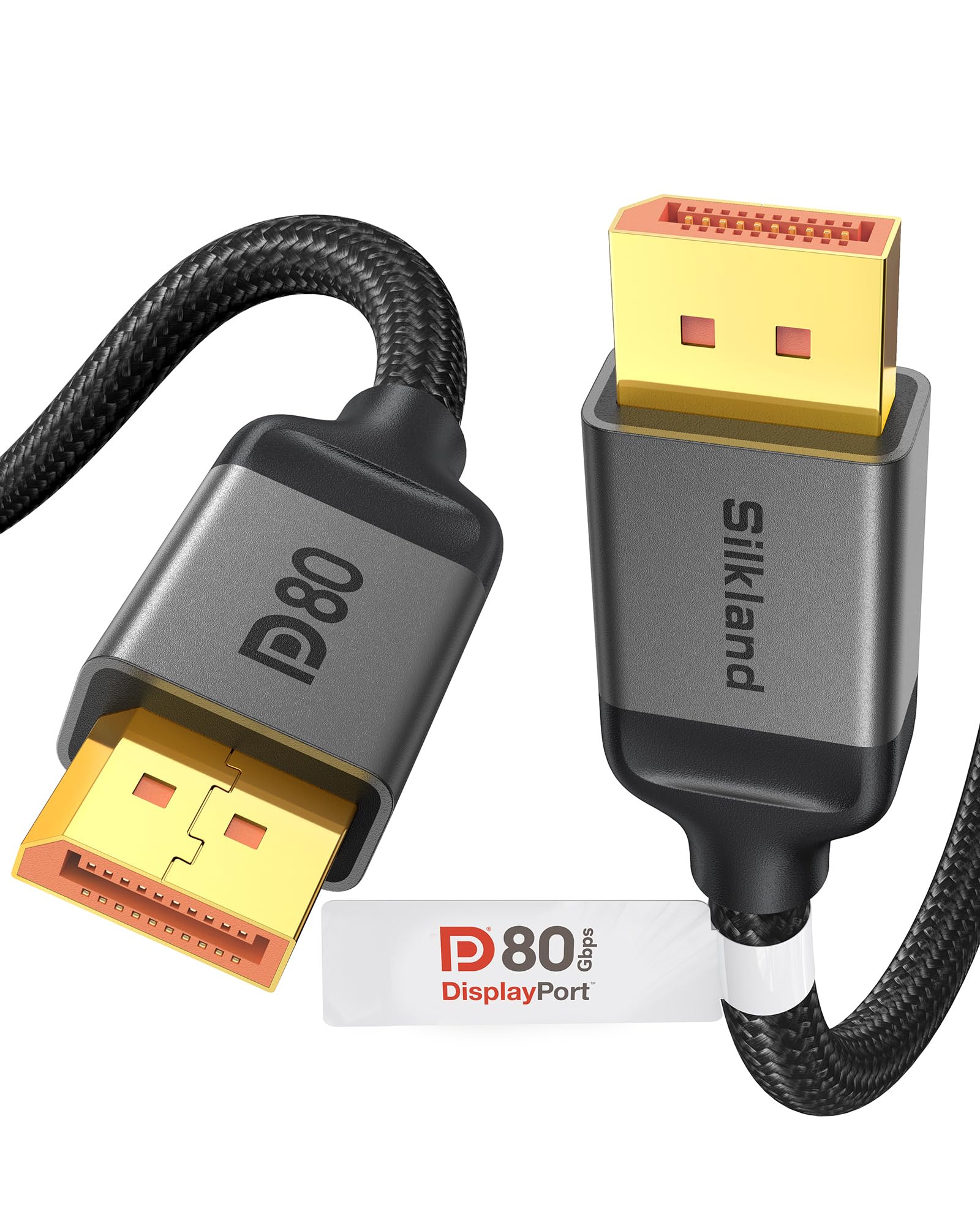
2,000+ ratings
Read Amazon ReviewsSilkland DP80 80Gbps DisplayPort Cable
Choose the S1303 when a longer run is useful and its listed modes match your setup.
The DP80 is a better fit for a very short connection where its higher stated bandwidth and UHBR20-focused capabilities matter; its 1.6-foot length is less suitable when the devices are farther apart.
- The DP80 is a 1.6-foot cable with listed 80Gbps bandwidth.
- Its supported modes include uncompressed 4K at 240Hz, 8K at 60Hz, and up to 16K at 60Hz or 8K at 240Hz with DSC.
- The S1303 is 10 feet long, lists 54Gbps bandwidth, and includes high-refresh display modes such as 4K at up to 240Hz.
Is Silkland S1303 Cable Worth It?
The Silkland S1303 is worth considering if you need a 10-foot DisplayPort-to-DisplayPort cable and want support for demanding high-resolution or high-refresh displays.
Its bandwidth, backward compatibility, and reinforced design features give it broad appeal for PC and gaming setups.
Buy it after confirming the ports, cable path, and desired display mode against your monitor and graphics hardware.
Its headline resolution and refresh-rate combinations are maximums for compatible equipment, so they should guide a compatibility check rather than stand as a promise of what every setup will achieve.
Your review at a glance
7,000+ ratings
Read Amazon ReviewsSilkland S1303 DisplayPort Cable
A 10-foot DisplayPort cable for PC owners connecting compatible high-resolution monitors, gaming displays, or multi-screen setups.
- DisplayPort 2.1 cable, model S1303, with male-to-male connectors and 10-foot length.
- Listed bandwidth of 54Gbps and support up to 16K (15360 × 8640) at 60Hz with DSC.
- Other listed modes include 8K at 120Hz, 4K at up to 240Hz, and 2K at 360Hz.
- Supports Dynamic HDR, HDCP 2.2, DSC 1.2a, 3D stereo imaging, and multi-stream transmission.