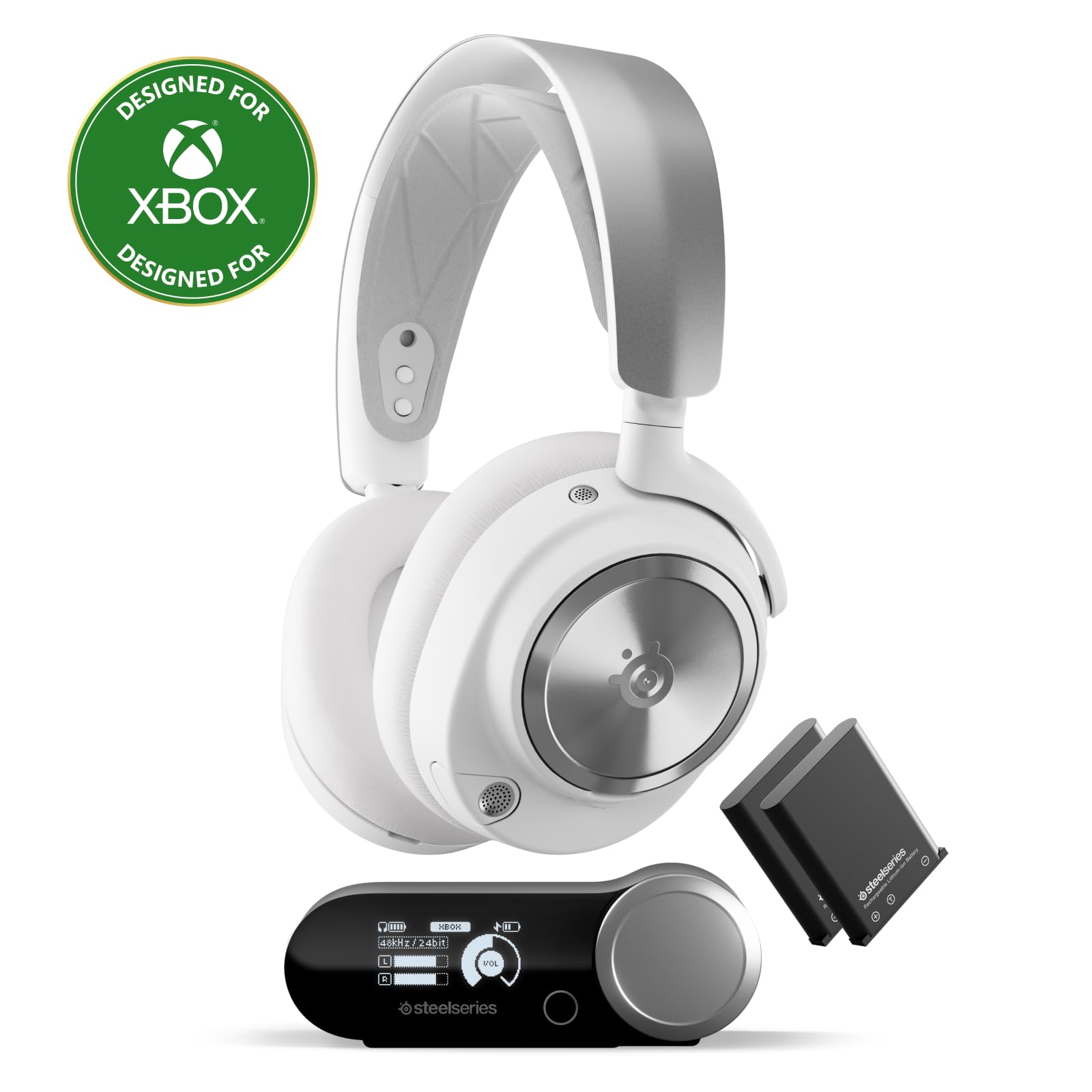
The SteelSeries Arctis Nova Pro Wireless is built for players who move between Xbox and another gaming system and want their audio setup to keep pace.
This steelseries arctis nova pro wireless xbox review looks at its multi-system connections, active noise cancellation, simultaneous Bluetooth, and hot-swappable batteries.
Arctis Nova Pro Review Summary
The quick verdict
3,000+ ratings
Read Amazon ReviewsSteelSeries Arctis Nova Pro Wireless
A strong fit for Xbox players who also switch between systems, mix phone audio, and want replaceable batteries for long gaming sessions.
- Connect two systems at once and toggle between Xbox and a second supported system, including PC, PlayStation, Switch, or Mac.
- Active noise cancellation is paired with Transparency Mode for times when you want to hear more of your surroundings.
- Neodymium magnetic drivers are designed to deliver clear highs, defined mids, and deep bass.
- Compatible with Tempest 3D Audio on PS5 and Microsoft Spatial Sound 2.

Pros
- Two-system connection and switching suit players who share a setup between Xbox and another platform.
- The spare battery charges in the base station while the other is in use.
Consider before buying
- The base-station and battery arrangement is most useful when the headset stays near a dedicated gaming setup.
- Players who use only one system may not benefit much from the two-system switching feature.
Read the full review summary
The central appeal is the combination of a wireless gaming headset and a base station designed to connect two systems at once.
Players can toggle between Xbox and a second supported system, while Bluetooth can bring calls or music from a mobile device into the mix.
That arrangement suits a desk shared by a console and PC, or a setup where gaming and phone audio need to coexist.
The rechargeable battery system is another practical distinction: one battery can be in use while its spare charges in the base station.
Active noise cancellation and Transparency Mode give players options for managing outside sound, and onboard profiles offer quick access to game-oriented settings.
The feature set is broad, so the best fit is someone who will use its system switching and audio controls rather than a player seeking a basic headset for one console.
The buying factors
Arctis Nova Pro Scorecard
Editorial scores reflect listed features and buyer fit; they are not laboratory measurements or customer ratings.
System switching
The described two-system connection and toggle support make it well suited to a multi-device gaming desk.
Battery continuity
Two hot-swappable batteries, with the spare charging in the base station, are designed to reduce interruptions.
Audio flexibility
ANC, Transparency Mode, onboard profiles, and spatial audio compatibility offer several ways to shape listening.
Phone audio integration
Bluetooth can mix calls or music from a mobile device with game audio.
Setup simplicity
The base station and multiple audio options add useful control, though they make the setup more involved than a single-device headset.
Everyday portability
The design focuses on a base station and interchangeable batteries, making it especially compelling at a gaming setup.
Key Features and Specifications of Arctis Nova Pro
- Connect two systems at once and toggle between Xbox and a second supported system, including PC, PlayStation, Switch, or Mac.
- Active noise cancellation is paired with Transparency Mode for times when you want to hear more of your surroundings.
- Neodymium magnetic drivers are designed to deliver clear highs, defined mids, and deep bass.
- Compatible with Tempest 3D Audio on PS5 and Microsoft Spatial Sound 2.
- Two hot-swappable batteries let one battery charge in the base station while the other is in use.
- Simultaneous Bluetooth lets you mix mobile calls or music with game audio.
- Onboard audio profiles provide quick access to settings tuned for games such as Call of Duty, Fortnite, and Apex Legends.
Pros and Cons of Arctis Nova Pro
Pros
- Two-system connection and switching suit players who share a setup between Xbox and another platform.
- The spare battery charges in the base station while the other is in use.
- ANC and Transparency Mode offer different ways to manage outside sound.
- Bluetooth mixing brings mobile calls or music into a gaming session.
- Onboard profiles make game-focused audio adjustments readily accessible.
Consider before buying
- The base-station and battery arrangement is most useful when the headset stays near a dedicated gaming setup.
- Players who use only one system may not benefit much from the two-system switching feature.
- If your main priority is a straightforward headset with few setup decisions, the range of audio modes and connections may be more than you need.
Who Should Buy Arctis Nova Pro?
Good fit
Consider the Arctis Nova Pro Wireless if you alternate between Xbox and another supported system and want to switch without treating each device as a separate headset setup.
The simultaneous Bluetooth connection is useful when you want phone calls or music available alongside game audio.
It also makes sense for long sessions where swapping a battery is preferable to pausing for a recharge.
ANC, Transparency Mode, and onboard game profiles round out a feature set aimed at players who like to adjust how their headset handles sound and connectivity.
Before buying, think through where the base station will live and whether you will regularly use its second system connection. Those two details determine how much of the headset’s design will matter in your routine.
Who should skip it
Look elsewhere if you need only a simple headset for one device and are unlikely to use the base station, system switching, or Bluetooth mixing.
If you want a wireless headset primarily for travel or everyday listening, consider whether a gaming-focused base station and battery workflow suit the way you carry and charge headphones.
How the Arctis Nova Pro Fits an Xbox Gaming Setup
Two systems, one headset
Connecting two systems at once addresses a familiar shared-desk problem: switching between console and computer can be part of the headset workflow. The listed platforms include Xbox and PC, as well as PlayStation, Switch, and Mac.
Buyers should map their own devices to the intended setup before choosing, especially if they expect to move the headset between several rooms or stations.
Battery swapping as a routine
The two-battery approach is designed around keeping one battery ready in the base station while the other powers the headset.
That can be convenient for extended sessions because charging does not have to mean setting the headset aside, provided the spare is returned to its charging position.
It is a different routine from simply charging a headset between uses, so consider which workflow feels natural.
Managing game sound and surroundings
ANC is intended to reduce distracting surrounding noise, while Transparency Mode provides an option when you want more awareness of the environment. These modes give the headset flexibility across different listening situations.
The description also highlights onboard profiles for games, alongside compatibility with named spatial-audio formats, giving players more ways to tailor the sound than a fixed headset profile.
Mixing mobile audio
Simultaneous Bluetooth is useful for keeping a phone connection available during play: calls or music can be mixed with the game audio.
This is particularly relevant for players who do not want to treat phone listening and console gaming as separate sessions.
If mobile audio is not part of your routine, this feature may be less important than the system switching or battery design.
Alternatives to Arctis Nova Pro
Over-Ear Headphones alternative
9,000+ ratings
Read Amazon ReviewsJLab JBuds Lux ANC
Choose the Arctis Nova Pro Wireless when Xbox-focused system switching, battery swapping, and game audio controls are central.
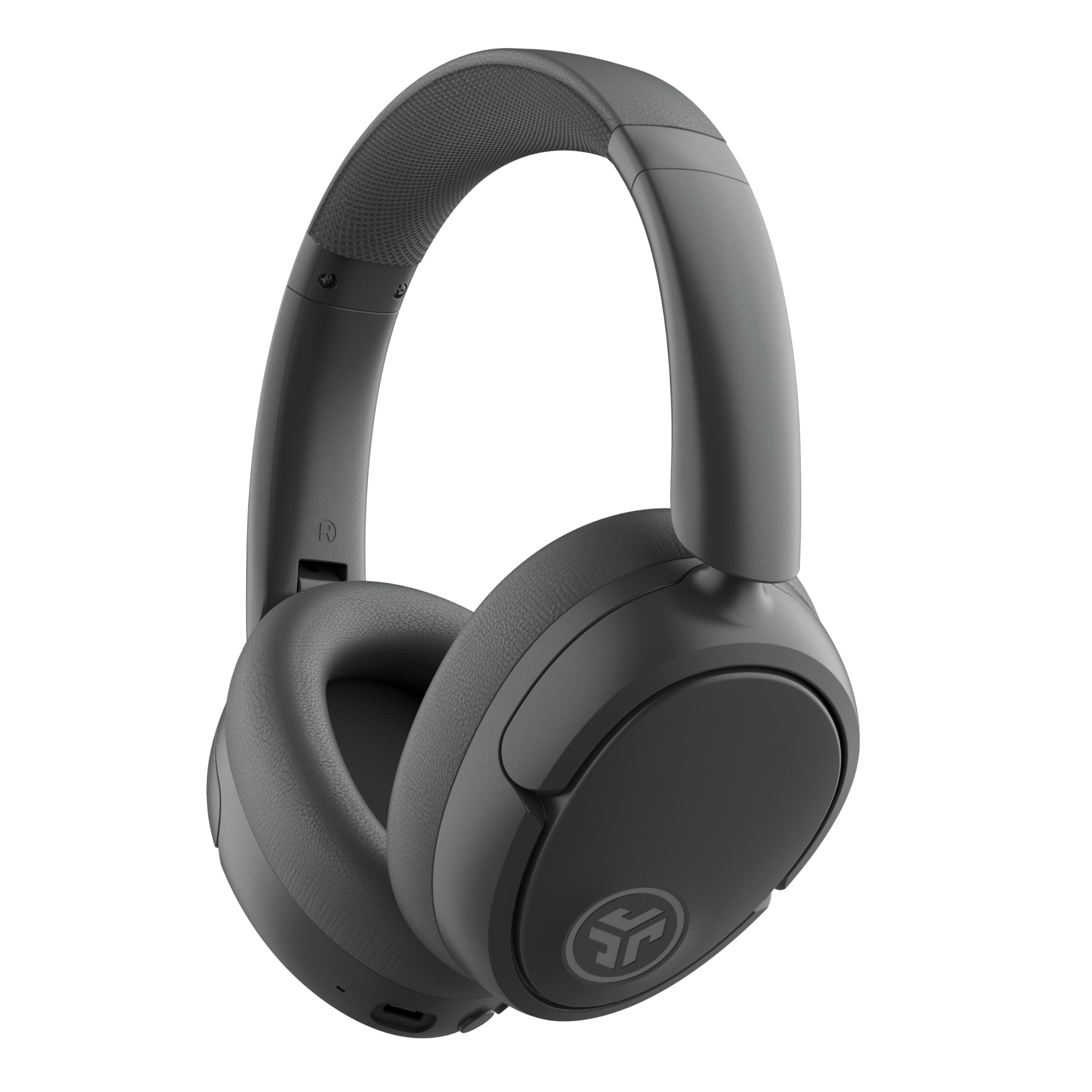
The JBuds Lux ANC is a more suitable alternative when you want an over-ear Bluetooth headset for everyday phone and PC listening with app-based ANC and EQ controls.
- The JBuds Lux ANC is a wireless over-ear model with 40 mm drivers, hybrid ANC, Be Aware mode, Bluetooth multipoint for two devices, and app controls for EQ and noise modes.
- Its listed compatibility centers on iOS, Android, and PC.
- The Arctis Nova Pro Wireless combines two-system gaming connections, a base station with hot-swappable batteries, Bluetooth mixing, and onboard game profiles.
Battery-focused alternative
500+ ratings
Read Amazon ReviewsPuro Sound Labs BT2200 Plus
For an adult gaming setup that needs system switching and hot-swappable batteries, the Arctis Nova Pro Wireless is the more relevant fit.
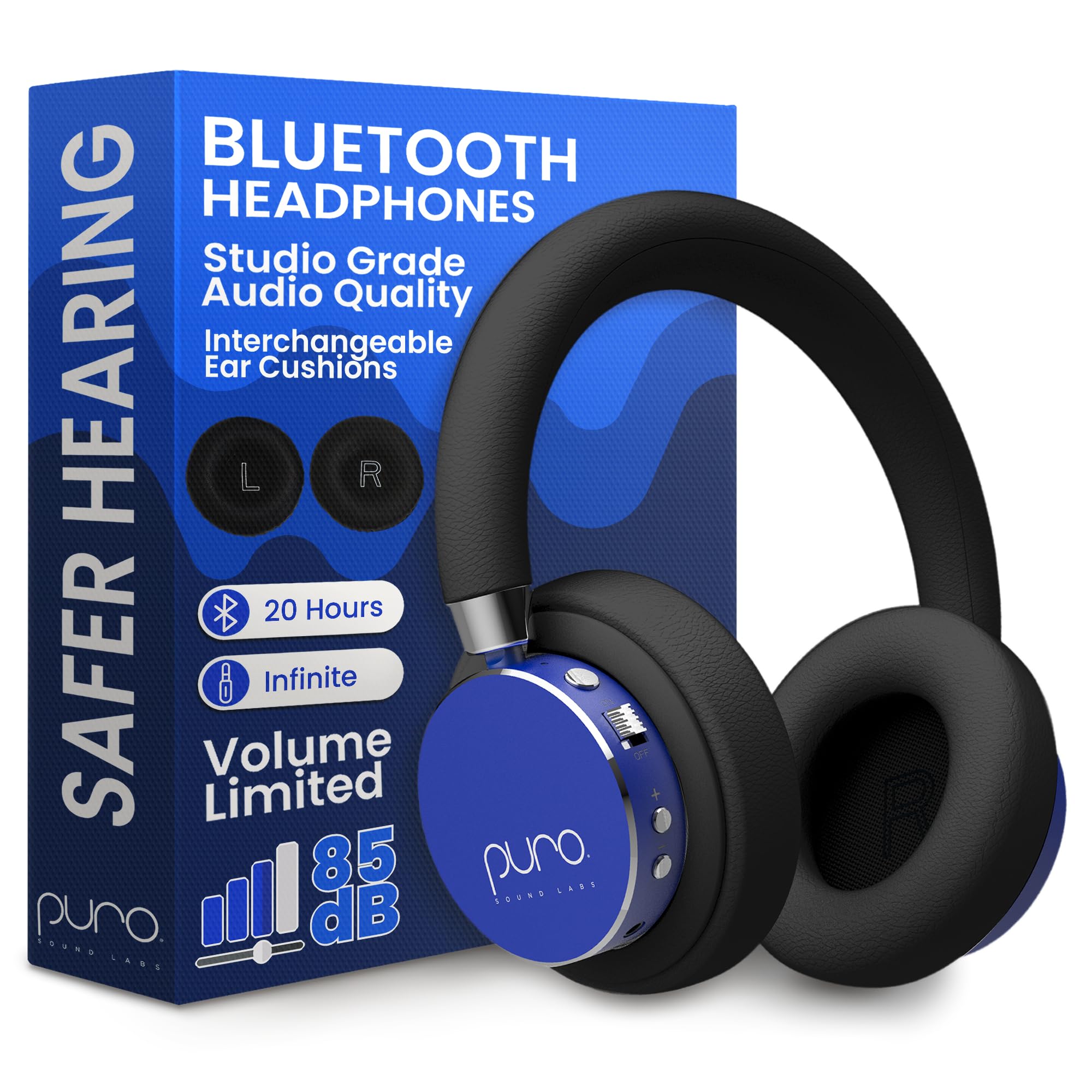
The BT2200 Plus is worth considering when the priority is a child-focused headset with volume limiting and wired as well as wireless listening.
- The BT2200 Plus is designed for children and includes an 85 dB volume limit, Bluetooth or wired listening, a 3.5 mm jack, and a protective case.
- Its listed battery life is up to 20 hours over Bluetooth.
- The Arctis Nova Pro Wireless is built around multi-system gaming, ANC, Bluetooth mixing, and a base station that charges a spare battery.
Is Arctis Nova Pro Worth It?
The SteelSeries Arctis Nova Pro Wireless is worth considering for Xbox players who share a headset setup with another system and value battery swaps, mobile audio mixing, and adjustable sound options.
Its strongest case is the way the base station, two-system connection, and spare battery support a more continuous gaming routine.
It is a more specialized choice than a basic one-device headset. Buy it when you expect to use its switching and battery workflow; if your gaming setup is simple, those features may add complexity without enough benefit.
Your review at a glance
3,000+ ratings
Read Amazon ReviewsSteelSeries Arctis Nova Pro Wireless
A strong fit for Xbox players who also switch between systems, mix phone audio, and want replaceable batteries for long gaming sessions.
- Connect two systems at once and toggle between Xbox and a second supported system, including PC, PlayStation, Switch, or Mac.
- Active noise cancellation is paired with Transparency Mode for times when you want to hear more of your surroundings.
- Neodymium magnetic drivers are designed to deliver clear highs, defined mids, and deep bass.
- Compatible with Tempest 3D Audio on PS5 and Microsoft Spatial Sound 2.